Case Folder Structure
The folder structure of an OFFBEAT case is similar to that of typical solvers shipped with OpenFOAM (e.g., icoFoam, pisoFoam, etc.).
case/
│
├── 0/                    # Initial conditions folder (or starting time folder)
│   ├── T                 # Temperature field
│   ├── D                 # Total displacement field
│   └── gapGas            # Gas gap composition field
│
├── constant/             # Contains mesh and solver-specific settings
│   ├── polyMesh/         # Mesh information (points, faces, etc.)
│   └── solverDict        # Central dictionary specifying models and material properties
│   └── input_settings.txt # Input file for SCIANTIX (used if the fgrSCIANTIX model is activated)
│
├── system/               # Contains control and numerical settings
│   ├── controlDict       # Controls simulation parameters (start time, end time, etc.)
│   ├── fvSchemes         # Discretization schemes for the simulation
│   └── fvSolution        # Numerical solver settings (solver types, tolerances, etc.)
│
├── postProcessing/       # Generated during the simulation, contains data extracted with OpenFOAM functionObjects such as probes, sampling, etc.
│
├── Allrun                # Optional script to sequentially run the case
├── Allclean              # Optional script to clean the case (e.g., remove time folders, log files)
└── input_settings.txt    # Input file for the SCIANTIX fission gas behavior class (although it can be embedded directly in the fgrOptions subdictionary in constant/solverDict)
Folder Overview
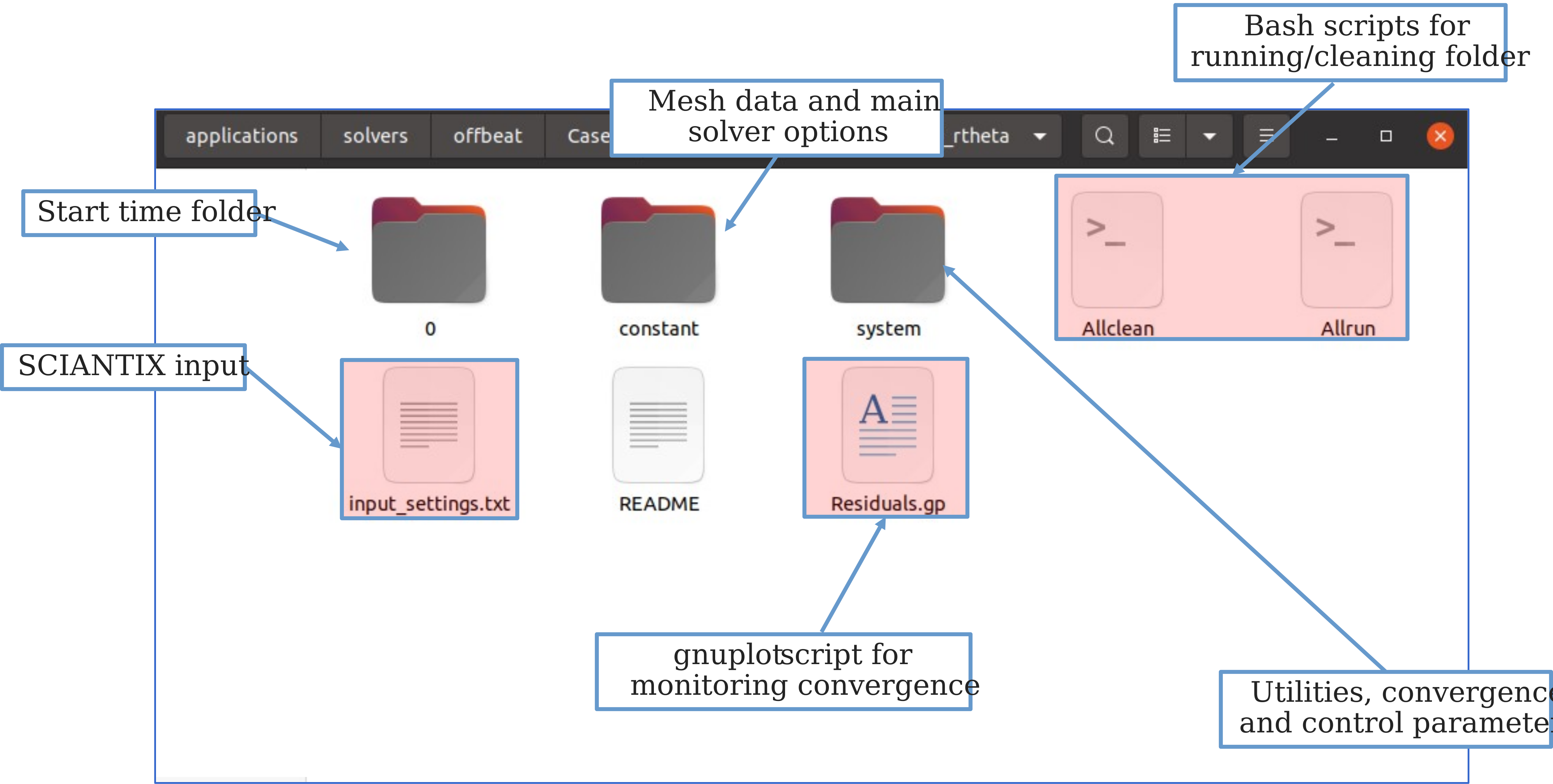
At the start of the simulation, an OFFBEAT case folder typically must contain the following three sub-folders:
-
0/(or different starting-time folder)
Contains initial and boundary conditions for fields such as temperature (T), displacement (D), and gas gap composition (gapGas). -
constant/
Contains mesh information, material properties, and solver-specific settings (e.g.,polyMesh/andsolverDict). -
system/
Contains control and numerical settings for the simulation, including discretization schemes, solvers, and the main simulation controls (controlDict,fvSchemes,fvSolution).
After the simulation is performed, additional folders and files may appear based on the settings configured by the user:
- Time folders: These are generated during the simulation and store the field values for specific time steps (e.g.,
0.5/,1.0/, etc.). postProcessing/folder: This folder contains data from any post-processing operations performed during or after the simulation, assuming the user has set up at least onefunctionObjectfor extracting or visualizing quantities.
Detailed Folder Structure
This section provides more details on the main folders of an OFFBEAT case.
1. 0/ (or different starting-time folder)
This folder is where the simulation's main fields are initialized.
Note
The initial folder can also differ from 0/. In that case, the user must ensure that either fromLatestTime is selected as startFrom in the controlDict or that startTime is properly set and startFrom is configured to startTime in the controlDict.
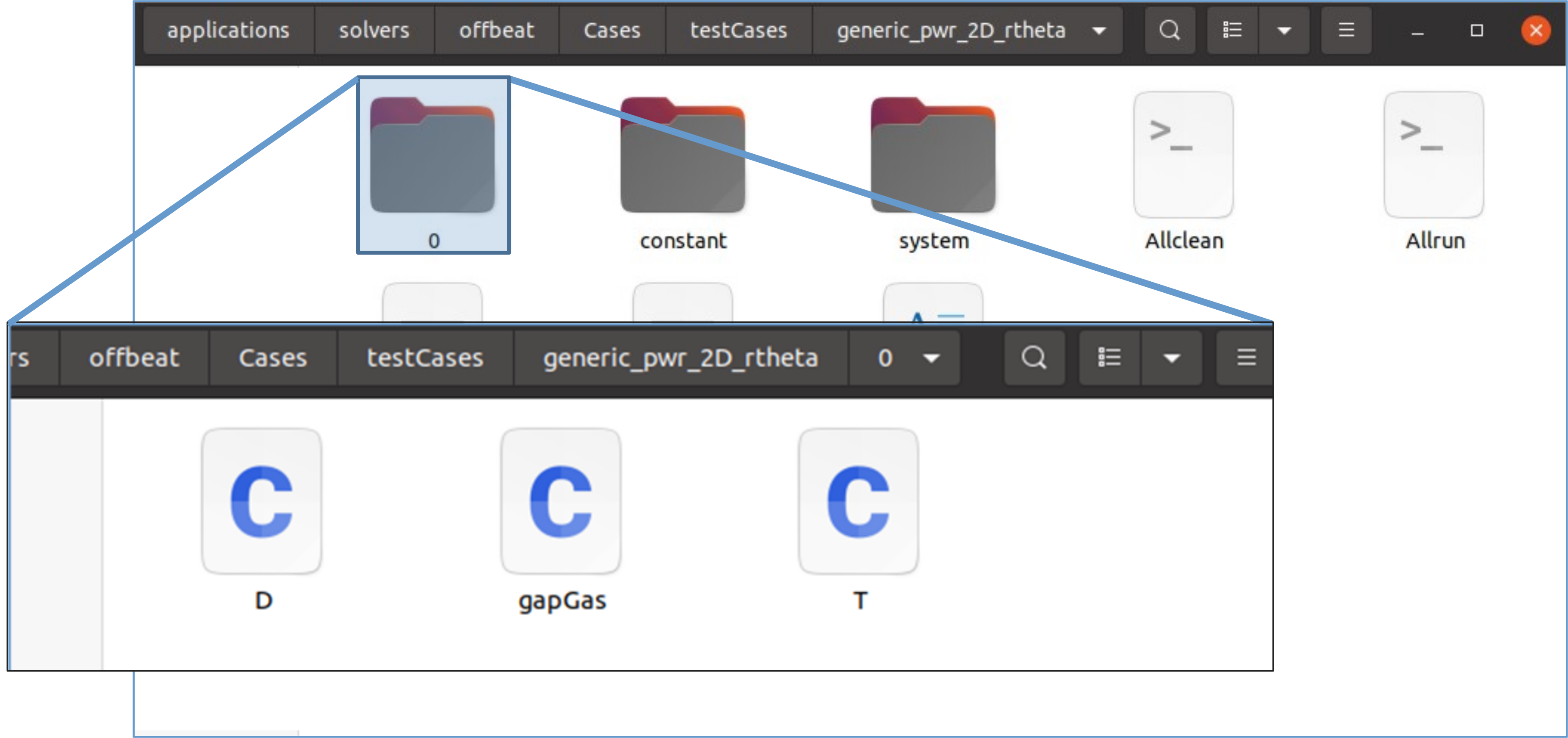
Typically, the initial folder includes a file for each field that requires initial and boundary conditions (usually only the main fields to be solved for, as the others often have default boundary conditions).
The main fields are typically:
- Temperature (
T): For the thermal solution. - Total Displacement (
D): For the total mechanics solver, or Incremental Displacement (DD) for incremental mechanical solvers. -
Gas gap composition (
gapGas): Although not a field itself, it is a dictionary typically used to define the initial gas composition and pressure.Warning
For backward compatibility reasons,
gapGascan be located directly in the0/folder as shown in the figure below. However, it is recommended to place it inside the0/uniform/folder. This ensures it is correctly distributed across processors in parallel simulations. After each time step, OFFBEAT will place the updatedgapGasdictionary directly inside the respectivetime_step_number/uniform/folder.
2. constant/ Folder
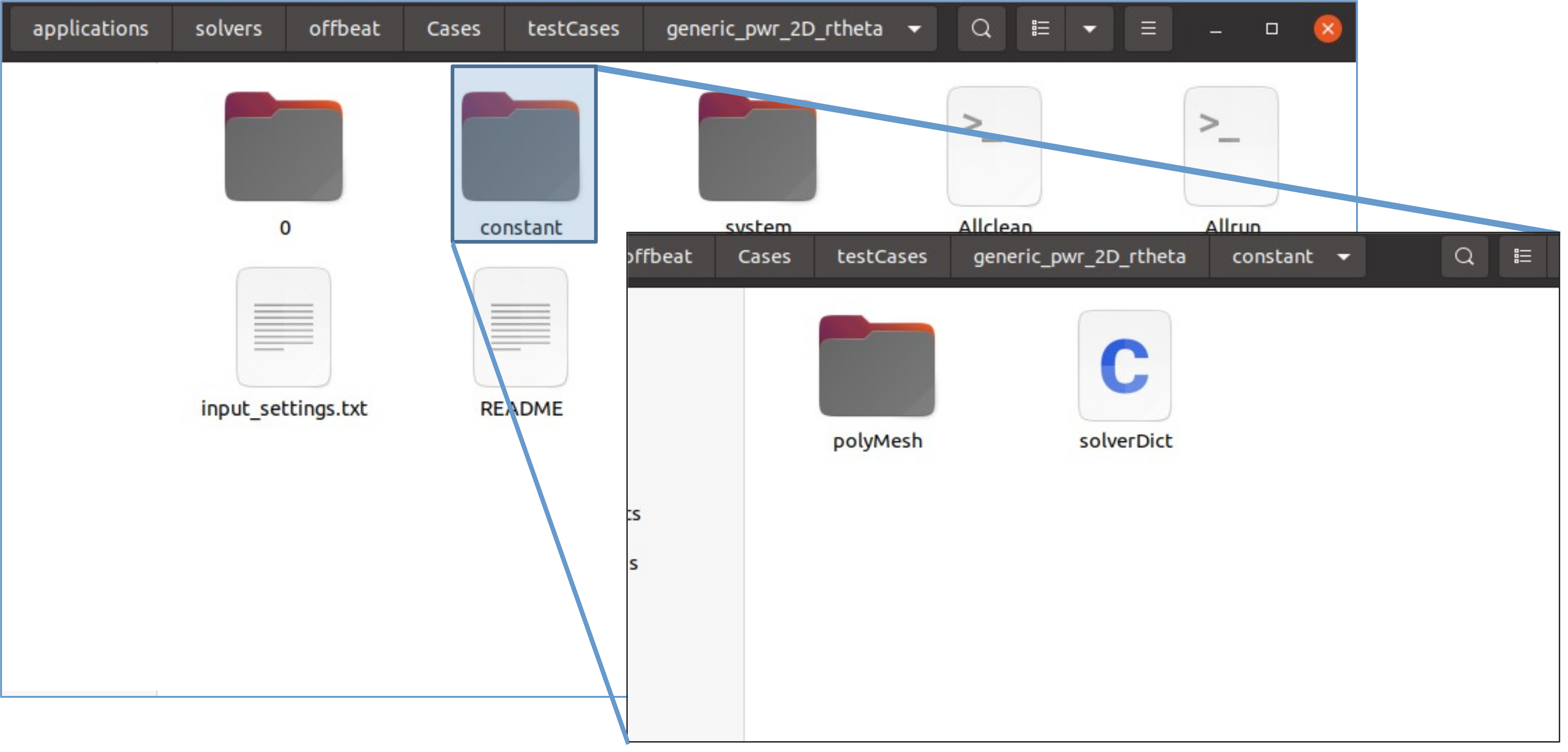
This folder contains information that does not change during the simulation, such as mesh and material properties. Key elements include:
-
polyMesh/folder: Contains mesh connectivity (e.g., points, faces). Created by mesh generation utilities such asblockMesh. -
solverDict:(1) Specifies the physics and models used in the simulation as well as material properties. Most OFFBEAT options are concentrated in the
 solverDictwhile for typical OpenFOAM applications the input is scattered in multiple dictionaries.
3. system/ Folder
This folder provides the primary control files for the simulation. It typically includes:
-
blockMeshDict: Input dictionary for theblockMeshutility, used to generate a structured mesh by defining blocks, vertices, and boundary patches. This dictionary specifies the mesh topology and geometric properties for each block, allowing for custom mesh creation directly in OpenFOAM.Note
blockMeshDictis necessary only if theblockMeshutility is being used for mesh generation. Alternatively, you can use professional or freely available meshing tools (e.g., Salome Platform, Gmsh) to create more complex meshes. OpenFOAM provides a wide range of conversion utilities to import external mesh formats into OpenFOAM format, allowing you to bypass the need forblockMesh. -
changeDictionaryDict: (Optional) Instructions to modify patch boundaries or other dictionaries via thechangeDictionaryOpenFOAM utility.Warning
While still extensively used in OFFBEAT
testCases, thechangeDictionaryutility is deprecated in the latest version of OpenFOAM, where it has been replaced by thefoamDictionaryutility. -
controlDict: Main control parameters such as start and end times, adaptive time step options, writing intervals, and function objects. fvSchemes: Specifies the discretization schemes used for different operators (time derivatives, gradients, etc.).fvSolution: Specifies the numerical solvers, including types of linear solvers and residuals thresholds.
Optional Files
An OFFBEAT folder may also include optional files, such as:
input_settings.txt: Input file for the SCIANTIX fission gas release module. In the latest version of OFFBEAT, it is recommended to directly embed the SCIANTIX settings within thefgrOptionssubdictionary of thesolverDict. For retro-compatibility, if the settings are not found infgrOptions, the code will look for theinput_settings.txtfile in the root of the main case folder.AllrunandAllcleanscripts: Bash scripts for running and cleaning up cases.Residuals.gpor similar: Gnuplot scripts for visualizing simulation residuals.-
plot.pyor similar: Python scripts for plotting data from thepostProcessing/folder.Note
The
AllrunandAllcleanscripts, as well as the gnuplot and Python scripts used to plot residuals or post-processing results, are not directly part of OpenFOAM and are not necessary to successfully run an OFFBEAT simulation.